▣
Scan
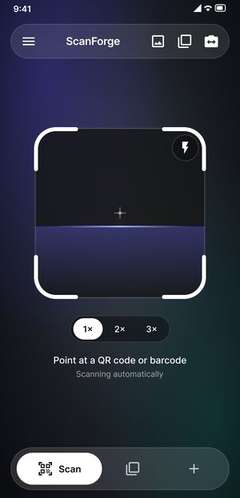
Point the camera at any QR code or barcode. Auto-detect, zoom and flash are built in.
 mehransystems
Work / ScanForge
Case study · Mobile app
A camera-first scanner that also makes clean QR codes & barcodes.
Get it on Google Play ↗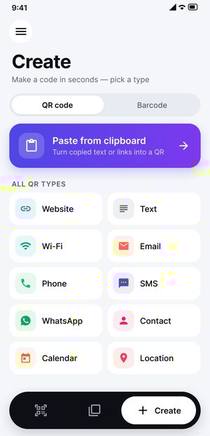
[ 01 ] Overview
Most scanner apps are slow to open, crowded with prompts, and treat making a code as an afterthought. People wanted one tool that scans instantly, creates clean QR codes and barcodes, and keeps a tidy record of both.
Build an Android utility that opens straight to the camera, reads every common format in a single tap, lets anyone create a code in seconds, and keeps scans organised on the device — no account required.
[ 02 ] What we built
Point the camera at any QR code or barcode. Auto-detect, zoom and flash are built in.
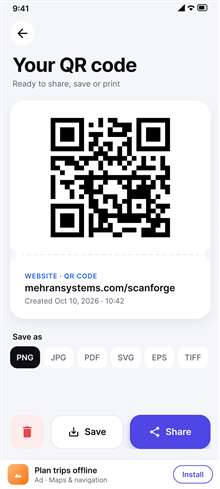
Make QR codes for links, Wi‑Fi, contacts and more — or standard barcodes — in seconds.
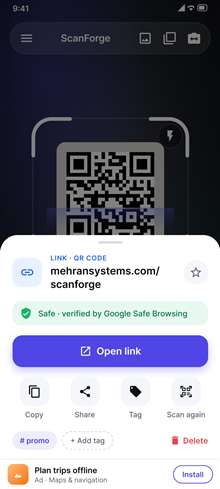
Every scan and creation kept on the device — searchable, taggable and easy to share.
Scan a run of codes back-to-back without leaving the camera, then review or export the list.
[ 03 ] Process
Mapped how people really scan — quick look-ups, Wi‑Fi sharing, stock checks.
Camera-first flows, a clear create screen and a calm, legible interface.
Native Android with on-device code detection for fast, offline scanning.
Play Store listing, staged rollout and steady updates shaped by user feedback.
[ 04 ] Screens
[ 05 ] Tech stack
Published on Google Play, with ongoing updates.
Store rating — add the current figure from Play Console.
Installs — add the current figure from Play Console.
Scanning and history stay on the phone — no sign-up needed.
Get the app Google Play ↗ Privacy Policy →
Next project →
Mix your own soundscape for focus, sleep or calm.
View case study →